Here’s a new graphic design we came up with for our friends at the Murray State BCM


Here’s a new graphic design we came up with for our friends at the Murray State BCM
A lot of times we don’t appreciate the little things product developers do that make our everyday lives just a little better. Sometimes it’s just a little tweak on an established product that complete changes the overall experience. I especially love seeing a company take the initiative to convert a wide-used and efficient item into something even better. It’s all about going from good to great. These are some of those products:
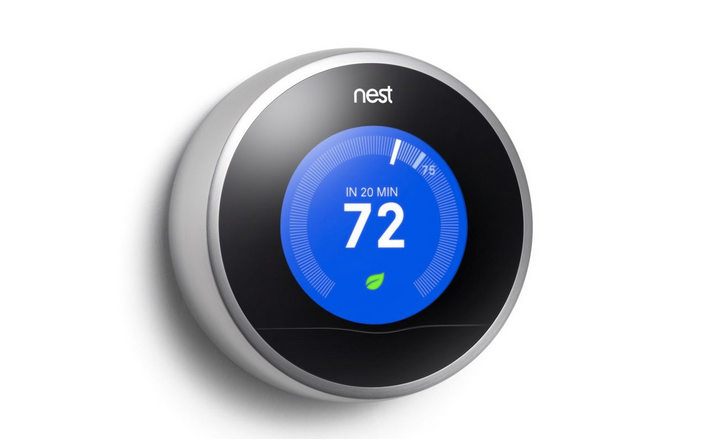
The Nest thermostat lets home owners set their temperature settings on a innovative schedule to mindlessly save money on heating and cooling bills. The interface is so simple to use, that anyone can easily program their temperature schedule in a matter of minutes, and Nest will remember. No more turning the heat down at night or having a friend turn your AC back on before you get back from vacation. Even if you forget to program your Nest before you leave the house their smartphone app has your back and lets you update your home remotely.
The best part about Nest is the interface, though. One simple wheel and a button lets you control every setting you’d ever dream of (and then some). It makes setting your thermostat fun and easy, and you’ll feel really good about all the money you’re saving, too.
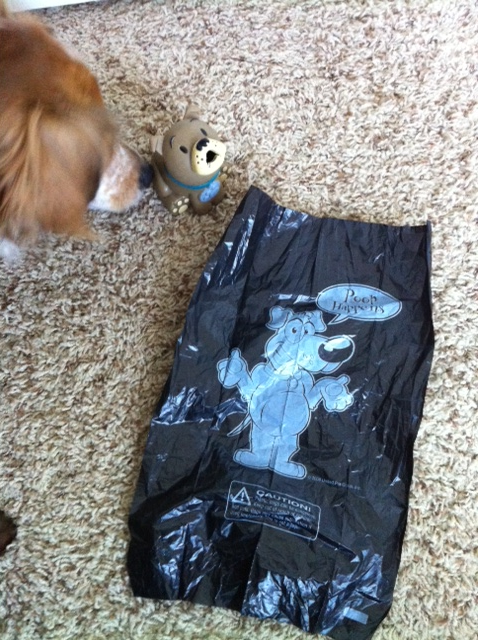
My wife and I received these as a gag gift one time, but I’ve got to be honest: I love them. United Pet Group creates these doggie bags with quirky poop puns and comical illustration on each one. Although cleaning up after your dog may be the dumps (pun intended), United Pet Group has managed to make me crack a smile while doing so. My personal favorite is a picture of a hippie dog saying, “Make poop, not war.” It may not save time or money, but it brightens your day and I applaud United Pet Group for making a good product even better.
Clipping your fingernails is tedious enough when you have to trim your nails often. Then you throw in the added frustration (and sometimes danger) of nail clippings soaring through the air in every direction. Not anymore, thanks to the La Cross Clip Catcher. It may not be a new product, but I’m surprised every nail trimming set doesn’t come equipped with one of these. The simple metal guard encloses the side of the trimmer and successfully catches most, if not all, of the fingernail clippings. Then, when it gets full, the metal guard slides back and the clippings fall out. Other than that it’s a normal fingernail clipper. Without the hassle of chasing my excommunicated nails around the bathroom I can trim my nails back in half the time and move on to move important things. I give it two thumbs (and thumbnails) up.
These products are great, and they make everyday life better. Even though another product existed before these, these companies set out to make the experience even better. It’s something we always strive to accomplish at Illuminate Design Studio, too. We create Web sites with innovative user experiences to redefine the way users interact, make processes more efficient, and convert the mundane into fun.
So, what products do you see that have revolutionized an existing idea?

I love my job and the many opportunities that come with it. I love that I get excited about up-and-coming technology, new knowledge, and breakthroughs that make your online experience (and hopefully your lives) better. I also love the direction our browsers are taking us.
If you haven’t heard of responsive Web design, don’t worry. A lot of Web designers still haven’t heard of it, and even fewer are using it. The idea has only been around for about two years, and it’s acceptance as a Web standard is even younger. But in June of this year, the World Wide Web Consortium (W3C) officially released a recommendation that Web sites be created using responsive design.
But what is Responsive Web Design?
Responsive Web design is a practice of creating Web sites with fluid layouts which adapt to individual viewing screens. So what does that mean for you and your Web site? It means that we can create one site that looks good on any device, no matter the screen size.
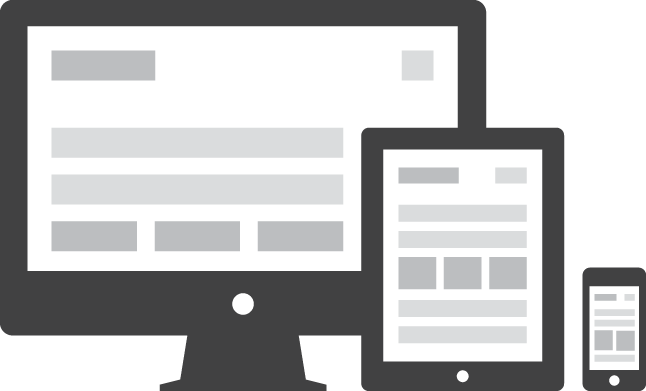
The recent push for responsive Web design has come from the overwhelming influx of post-PC devices. It’s predicted that, by 2014, mobile internet usage will exceed desktop computers. This has created a need to adapt our online experiences from a desktop-only approach and cater to emerging devices.
Unfortunately, these devices not only have smaller screens with different aspect ratios, but the interface is completely different. We use pokes instead of clicks. Swipes instead of scrolls. Pinches instead of zooms. And we load pages on the fly, over wireless networks, from anywhere.
So the game is changing for Web developers around the world. The challenge to deliver Web sites that look great and work well on a wide range of devices requires a shift in the very basic ways we create the sites. Historically, Web pages started with fixed width layouts, meaning the designer created a page that was exactly so many pixels wide. This worked well on most desktop computer screens, but the new arrival of smaller (and larger) screens means that a fixed-width page is going too be too big or too small.
In the past few years, the Web design community has risen to meet this challenge with the creation of stand-alone mobile sites. If you have a smart phone, you’ve probably seen a mobile site. While they have the ability to create a great experience for specific devices, there are still two major obstacles. The first is that a new implementation of the site must be created to address each platform. To minimally capitalize on the screen size of each device you’d have to create at least three versions of your site: for phones, tablets, and desktops. But that means paying for at least three Web sites. And there’s still the possibility that another platform will emerge that your Web site cannot cater to. The second obstacle is the maintenance of each stand-alone site. By creating multiple sites, the content on each instance must be kept up-to-date. That means multiple amounts of work or increases in third-party update fees.
That’s why I’m so excited about the direction my field is going. Responsive Web designing allows us to create one Web page that not only fills each screen, it adapts the content to suit each audience. We have the power to make buttons bigger on touch screen devices or reveal extra content on extra large monitors. It’s the ideal solution to the continuing emergence of Post-PC devices and will ensure that the sites we at Illuminate Design Studio create will look great to any viewer and work well. That’s always been our goal and we’re glad to see that the future will continue to hold more opportunities for us to fulfill our vision.
We’d love to design a responsive site for you. If you’d like to learn more, request a proposal and we’d love to tell you more about the solutions we can offer you.
When we meet with clients we like to talk about intuitive navigation, a lot. But what does that mean? We mean that we want to create sites with built-in navigational elements that lead your audience to the information they’re looking for without a learning curve. This means we consider the design, placement, consistency, and content of every menu, button, and link on the sites we create. And here’s how we do it:
Design
The best navigational designs emulate our natural experiences. They look like things we push, touch, pull, and drag a hundred times a day, so when we see them online we instinctively know what we need to do. They don’t require any explanation.
What if you walked up to your friend’s front door and found this?
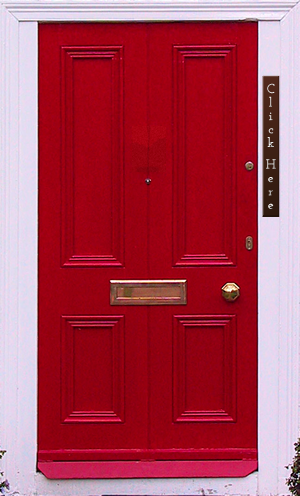
You’d probably be confused for a second or two. Then you might wonder what would happen if you click that button on your friend’s door. Would it ring the door bell or call the police? To avoid any negative consequences you’d probably just call your friend and ask him to open the door.
If you saw this, though, you’d know exactly what to do:
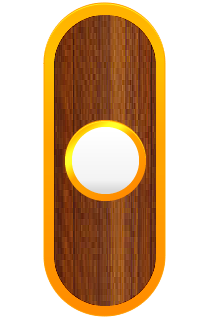
That’s why we create buttons and menus that look clickable and and perform the way the audience expects. There are no secrets, surprises, or learning curves.
Placement
Where your navigational elements end up has a huge effect on the user’s experience. Most people are going to look for links to subpages near the top of the page, so if they are all the way at the bottom of your homepage, no one will find them. While there are no specific rules that dictate where content should go, there are several guidelines we use at Illuminate Design Studio to ensure our sites have all the right stuff in all the right places.
Every Web and design layout has areas the eye is naturally drawn to. We capitalize on this truth by strategically placing the most important navigation elements in these areas. We also make sure there is the perfect amount of free space in our designs to highlight important material without adding clutter.
Consistency
Like a set of keys you always place in a specific place, navigational elements can be very hard to find if someone moves them. Keeping the general location of common elements consistent will help users find what they’re looking for very easily. This is very important for menus and repeating buttons throughout the site.
The navigation design should also stay consistent. If a “Buy Now” button is blue on the homepage, your users won’t be looking for a green button on the subpages. Keeping things consistent lessens the learning curve as your visitors delve deeper into your site.
Content
The content of your navigational elements is an often neglected aspect of navigation optimization. At IDS, we always make sure your menu items, button titles, and icons make sense. We work with your company to create an effective site map that leads your audience to pages naturally. Many times, the hierarchical organization of pages can hide a page where it shouldn’t be. By strategically planning your site map out, we have the ability to make sure every page is right where your audience expects it to be.
So the next time you hear us talking about intuitive navigation, that’s what we mean. It’s something that can make or break a site. If you’d like to learn more about how we can help you create a site that truly reaches your audience and is easy for them to use, fill out our contact form to request a quote or contact us directly.
So many styles come and go with the times (we’re talking about you parachute pants and rat tails). Some of the easiest to spot trends from the past are found in our homes: Pink bathtubs, shag carpet, wood paneling, etc. At one point in time, someone was so excited about the possibility of hanging harvest gold velvet curtains in their living room.
Like so many trends, these “home improvements” have failed to stand the test of time. But then again, how many people plan to keep their shag carpet for 40+ years?
Web design provides a very different landscape, though. It’s a field that is constantly evolving and shifting. We encourage our clients to evaluate their Web presence at least every two years to keep up with changing fads. If their site is still reaching their audience then we let it keep doing it’s job. If something needs to be updated to get up-to-date, then we take care of it.
That’s why we aren’t afraid of trends. Unlike that tribal ink tattoo covering your arm, Web trends are easy to adapt or remove to fit new trends. Our Web sites are designed to grow with you, too. So, as your audience changes and grows, your Web site will be there to engage them.
There are hundreds of new Web design possibilities that have emerged in the last two years. Browser support is growing and technology has partnered with design to provide lots of new ways to reach your clients. If you haven’t looked into your Web presence in the last couple years we’d love to talk to you about all the new possibilities and discuss how we can help you engage a wider audience. You can contact us here to learn more.
Last week my wife and I were exploring downtown Hot Springs, AR with my family and we stopped to look into the windows of a local shop. My little sister admired some of the clothes inside, but I quickly (and jokingly) told her she wasn’t allowed to shop there because they used the font “Curlz.” That’s right, with a “z.”
I don’t remember what the store was actually called, but what I read was:
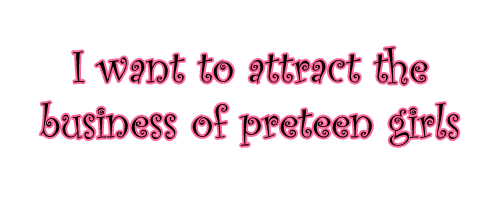
So that made me think about a subject I’ve visited many times before: What do our fonts say about us?
Too many people settle for the preinstalled fonts that come on computers these days. If Arial or Times New Roman represent you perfectly then that’s what you need to do. But most companies are trying to capture the attention of an audience with many options. They need to make an impression and they need to stand out.
The littlest difference in a font can change its perception by a potential client. The addition of a serif can add a sense of tradition and a slant can create a progressive motif. We chose our font, “Bebas,” because it’s modern, simple, and clean. That’s how we want to be viewed by our potential clients.
So, if other fonts could talk, what would they say about you? Here’s a little picture we came up with for fun:
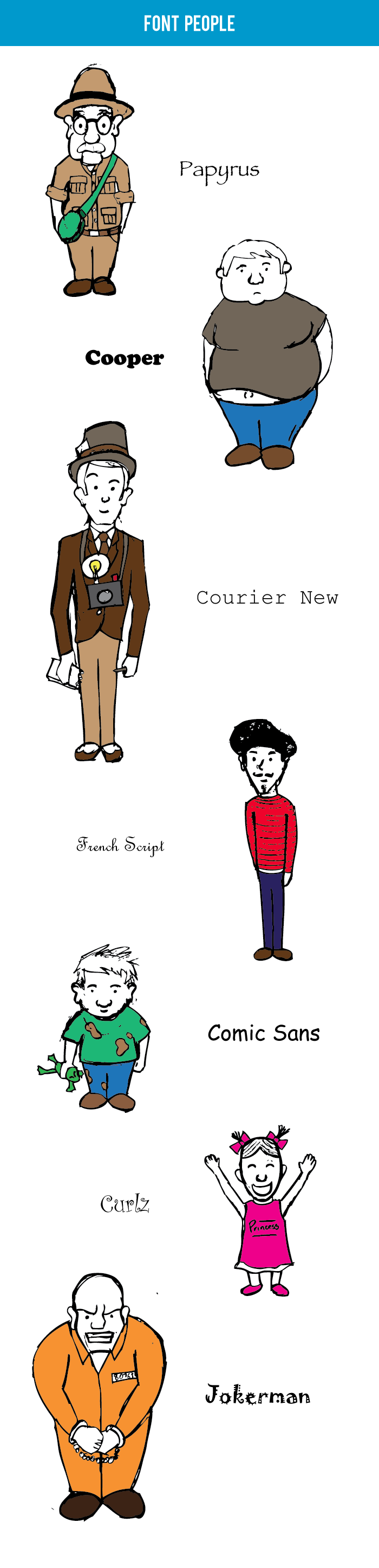
It’s a question we often ask during ice-breaker sessions or when we’re trying to get to know someone better. My answer changes sometimes, so I’ll usually say something like, “Today it’s blue.” Your favorite color can say a lot about you, and it helps your listeners to understand more about who you are.
The colors we choose to design Web sites help the world understand more about you, as well. Calm blues can show a down-to-business attitude, while bright orange can convey a sense of athleticism. We picked the blue on our Web site because it appeals to a wide range of viewers, but it’s also bright and makes a bold statement against the clean grey and white of the rest of the site.
Color combinations also say a lot about your company or organization. The logo we designed for Hollison conveys a sense of American nationalism. It not only gives the company an identity, it confirms to the viewer that their work helps secure the nation’s food supply.
So what are your colors saying about you? If your Web site or logo need a color overhaul, feel free to contact us or request a quote.
As we start out on with our first blog post I think it’s important to start with something we’re passionate about: great design. Most people agree that a Web presence is a vital aspect of today’s business world, but many companies and organizations settle for a basic Web site with just enough information. Please don’t misunderstand me. Sometimes a simple Web site with a clear, succinct message is the ideal solution. So here’s the bottom line: your Web site design tells your viewers almost everything they need to know about you.
A bad Web site design is like wearing sweatpants to an important meeting. It can also be like wearing a three-piece suit to the beach. Every site has a unique audience it’s trying to capture, and a tailored design helps establish connections with your audience. A suitable design for your Web site encourages your viewers to see that you understand your market and that you consequently understand their needs.
Great design does more than establish a sense of competence. It also enhances the functionality of your site. A well-planed site will lead the user’s eye to important content quickly and offers intuitive navigation that requires little to no learning curve.
While a simple site with basic content is a good step for every company or organization, the same site, paired with great design will create a lasting impact on every viewer. To find out how Illuminate Design Studio can help your site out request a free quote here.