
When we meet with clients we like to talk about intuitive navigation, a lot. But what does that mean? We mean that we want to create sites with built-in navigational elements that lead your audience to the information they’re looking for without a learning curve. This means we consider the design, placement, consistency, and content of every menu, button, and link on the sites we create. And here’s how we do it:
Design
The best navigational designs emulate our natural experiences. They look like things we push, touch, pull, and drag a hundred times a day, so when we see them online we instinctively know what we need to do. They don’t require any explanation.
What if you walked up to your friend’s front door and found this?
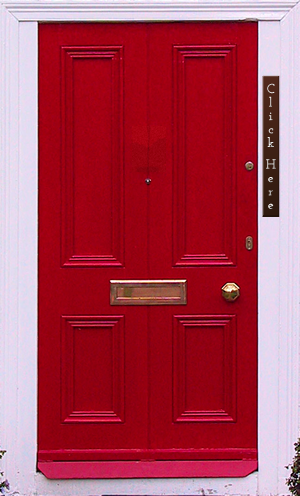
You’d probably be confused for a second or two. Then you might wonder what would happen if you click that button on your friend’s door. Would it ring the door bell or call the police? To avoid any negative consequences you’d probably just call your friend and ask him to open the door.
If you saw this, though, you’d know exactly what to do:
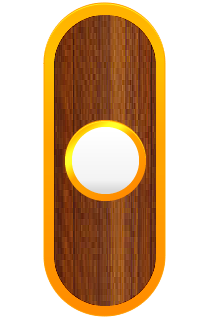
That’s why we create buttons and menus that look clickable and and perform the way the audience expects. There are no secrets, surprises, or learning curves.
Placement
Where your navigational elements end up has a huge effect on the user’s experience. Most people are going to look for links to subpages near the top of the page, so if they are all the way at the bottom of your homepage, no one will find them. While there are no specific rules that dictate where content should go, there are several guidelines we use at Illuminate Design Studio to ensure our sites have all the right stuff in all the right places.
Every Web and design layout has areas the eye is naturally drawn to. We capitalize on this truth by strategically placing the most important navigation elements in these areas. We also make sure there is the perfect amount of free space in our designs to highlight important material without adding clutter.
Consistency
Like a set of keys you always place in a specific place, navigational elements can be very hard to find if someone moves them. Keeping the general location of common elements consistent will help users find what they’re looking for very easily. This is very important for menus and repeating buttons throughout the site.
The navigation design should also stay consistent. If a “Buy Now” button is blue on the homepage, your users won’t be looking for a green button on the subpages. Keeping things consistent lessens the learning curve as your visitors delve deeper into your site.
Content
The content of your navigational elements is an often neglected aspect of navigation optimization. At IDS, we always make sure your menu items, button titles, and icons make sense. We work with your company to create an effective site map that leads your audience to pages naturally. Many times, the hierarchical organization of pages can hide a page where it shouldn’t be. By strategically planning your site map out, we have the ability to make sure every page is right where your audience expects it to be.
So the next time you hear us talking about intuitive navigation, that’s what we mean. It’s something that can make or break a site. If you’d like to learn more about how we can help you create a site that truly reaches your audience and is easy for them to use, fill out our contact form to request a quote or contact us directly.